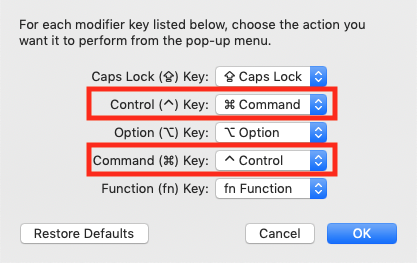
For users with Mac home systems, remapping the on-site PC to match Mac keys via Sharp Keys or similar programs is not possible over RGS. Instead please plan to swap the Command and Control keys on your Mac.
On you personal iMac:
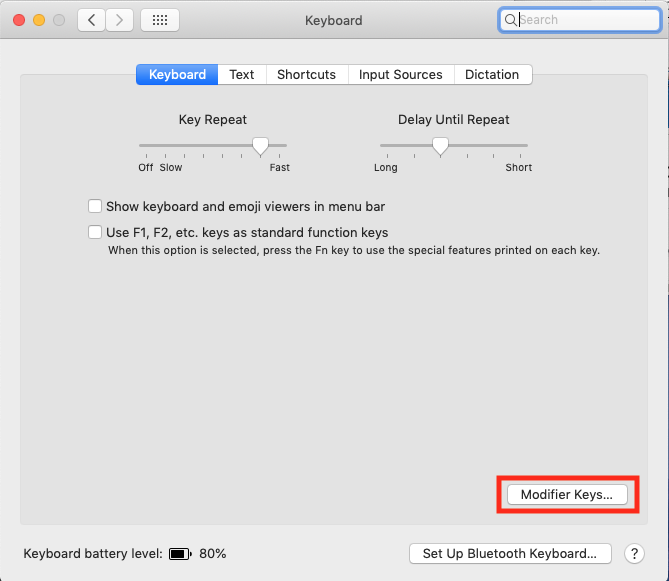
- Go to System Preferences > Keyboard > Select the Keyboard Tab
- In the window, select Modifier Keys in the Bottom Right Corner
- Swap the functions of the Control and Command keys using the drop-down
menus. This should allow them to function as Windows key-commands in the
Remote system. To change back, hit Restore Defaults.